The SourceWorks

I play a BOSS GX-10 every day. GXnarly is how I finally understood it.

GXnarly is a landscape-native iPad and macOS editor for the BOSS GX-10 and GX-100. It talks to the pedal over USB-MIDI — and it explains what each block actually does while you edit.

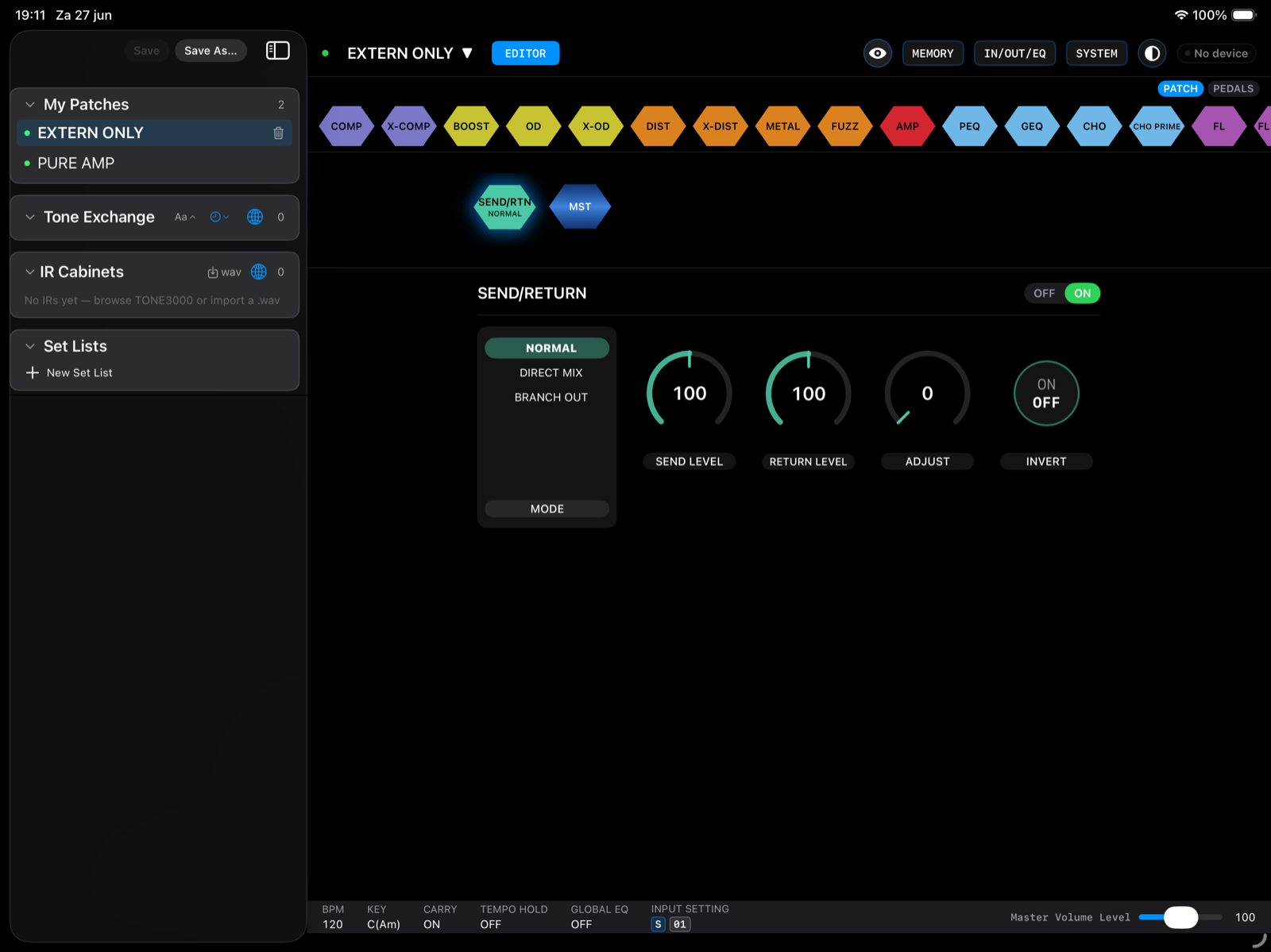
GXnarly on iPad in landscape: the GX-10 rear panel, the full effect chain, and the stomp-switch grid

Why I built it

I'm not a software studio. I'm one guitar player with a GX-10 on the floor and an iPad on a stand — and that iPad is how I prefer to work with it.

The GX-10 is a wonderful machine, and for a long time I used maybe a third of it. I could hear when a patch was wrong without being able to say why. Which of the 81 blocks should I reach for? Why does the same overdrive sound great in one position and pointless two slots later? The manual tells you what a parameter is called. It doesn't tell you what it's for.

So I built the editor I wanted: the whole chain visible at once, every knob with a real name, and each block explaining itself in plain language — where it belongs, which knobs actually matter, what it pairs well with.

GXnarly is the app that taught me my own pedal. That's the whole idea, and it's why the help is built into the app rather than hidden in a PDF.
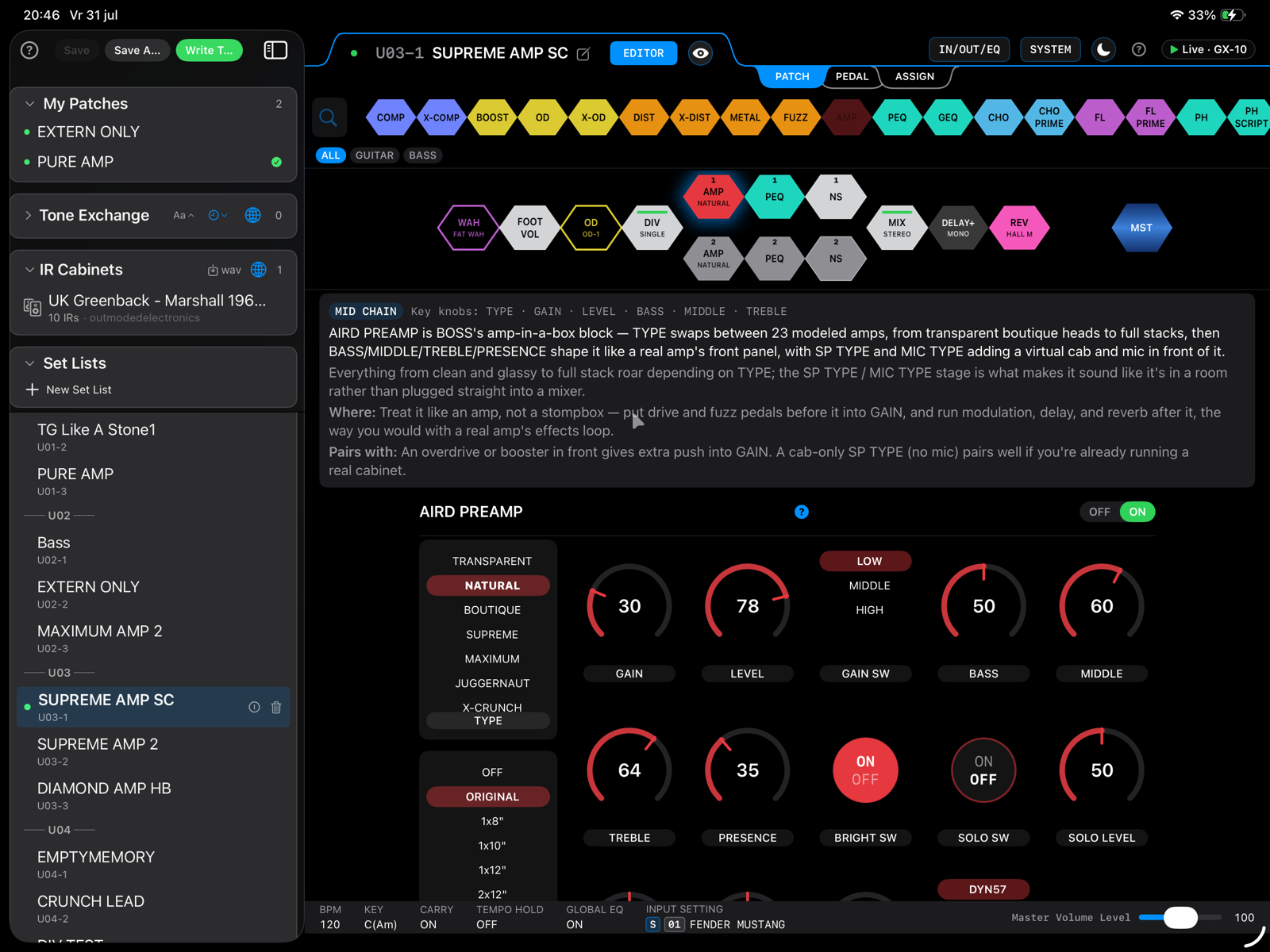
GXnarly editing the AIRD PREAMP block, with an explanation panel above the controls
Every block explains itself: what it is, where it belongs in the chain, and what it pairs with.
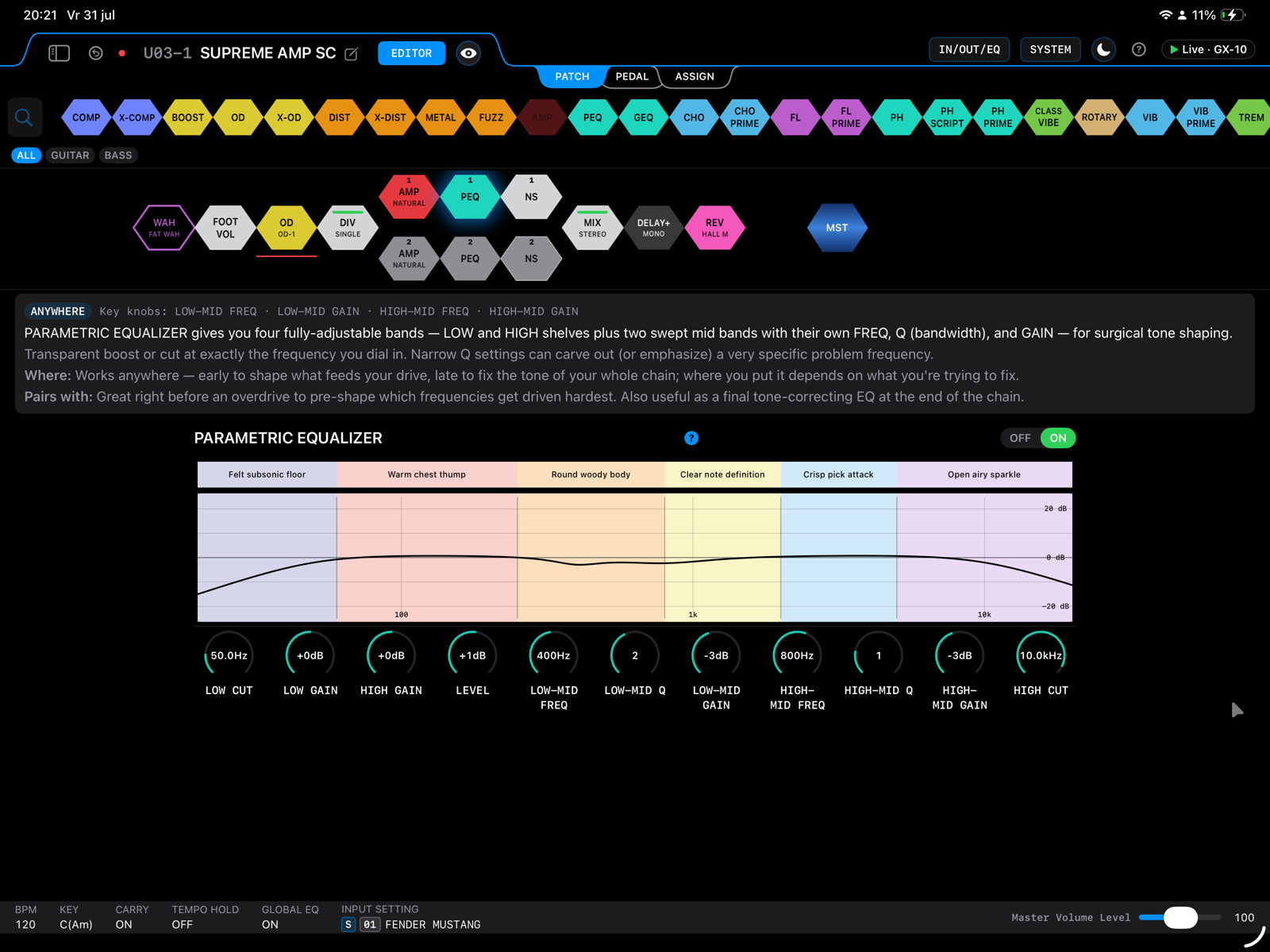
GXnarly's parametric equalizer with frequency bands labelled in plain language
The parametric EQ, described in sounds rather than numbers — “warm chest thump”, “crisp pick attack” — then move the band.

What is GXnarly?

USB-MIDI fast

Connects in class-compliant USB mode and edits in real time — no Bluetooth pairing, no waiting.

Revamped interface for iPad & Mac

A redesigned, landscape-native interface that runs on iPad and macOS — your whole signal chain at a glance.

Every effect, every patch

Full catalog of all 81 effects with named knobs, and read/write access to all 300 patch memory slots.

Tone Exchange

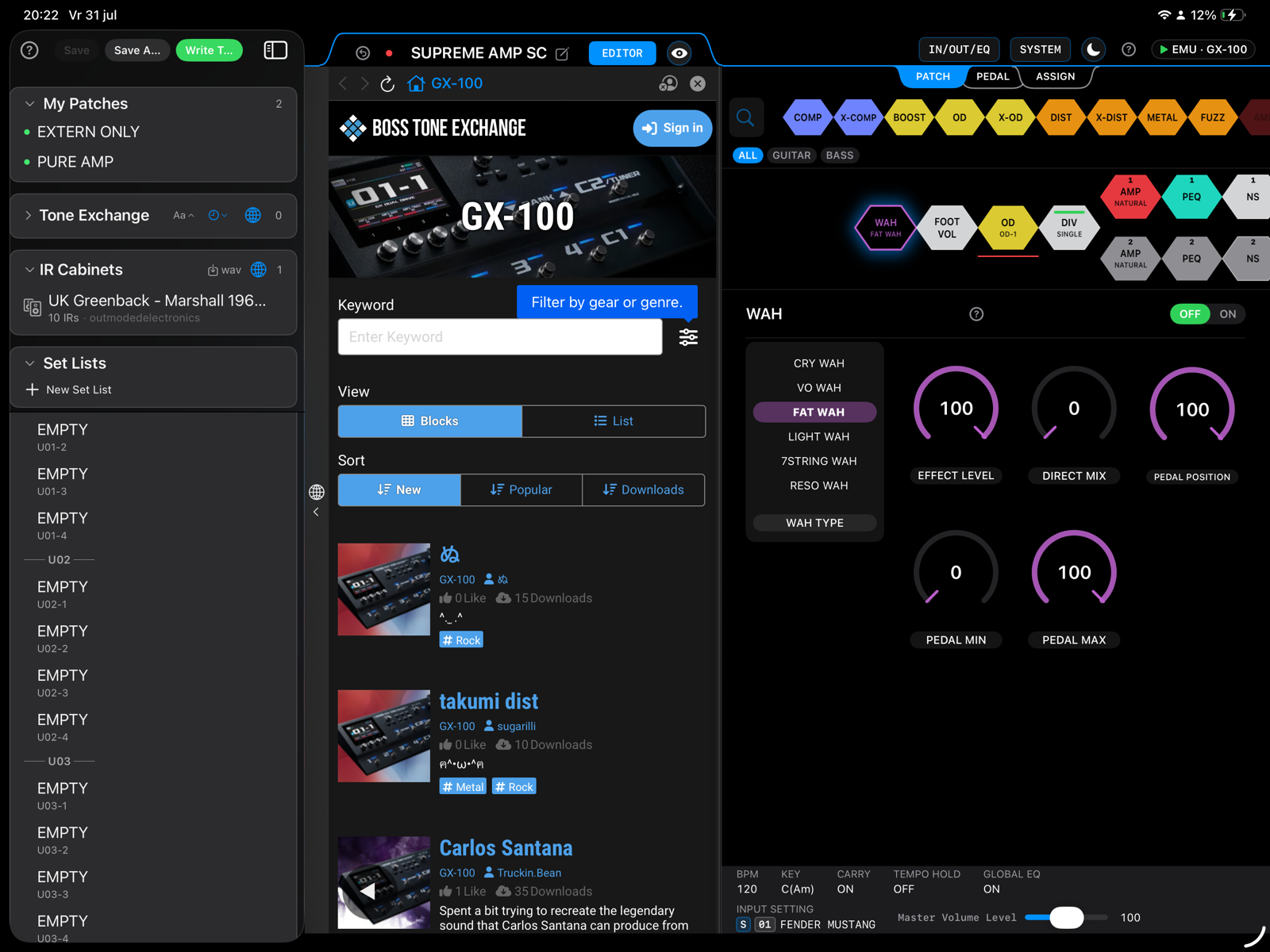
Browse and download patches from BOSS TONE EXCHANGE, right inside the app.

TONE3000 integration

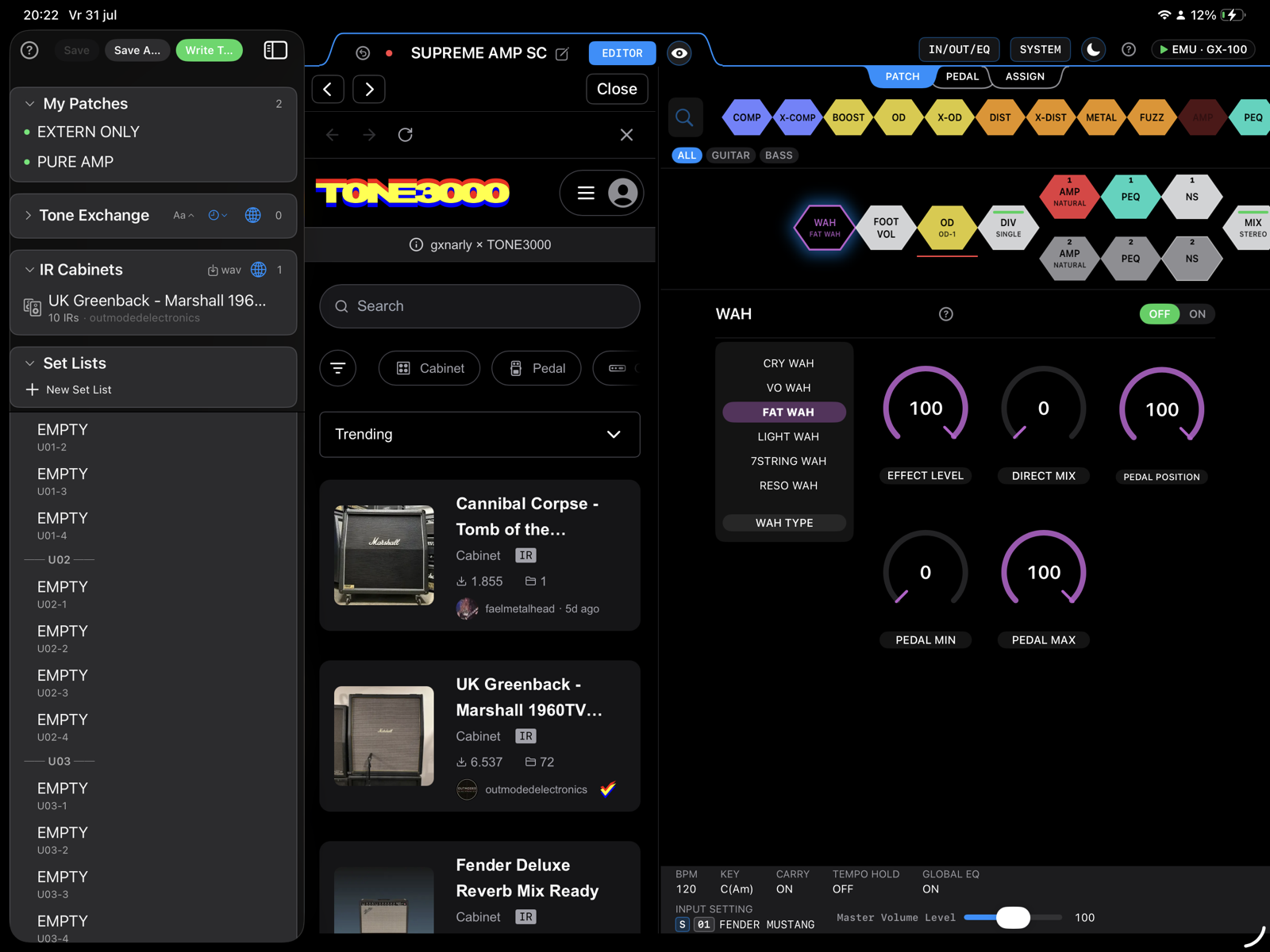
Browse and load IR cabinets from TONE3000, or import your own .wav impulse responses.

Built-in tuner

Tune up fast with the device's built-in tuner and a clear pitch readout.

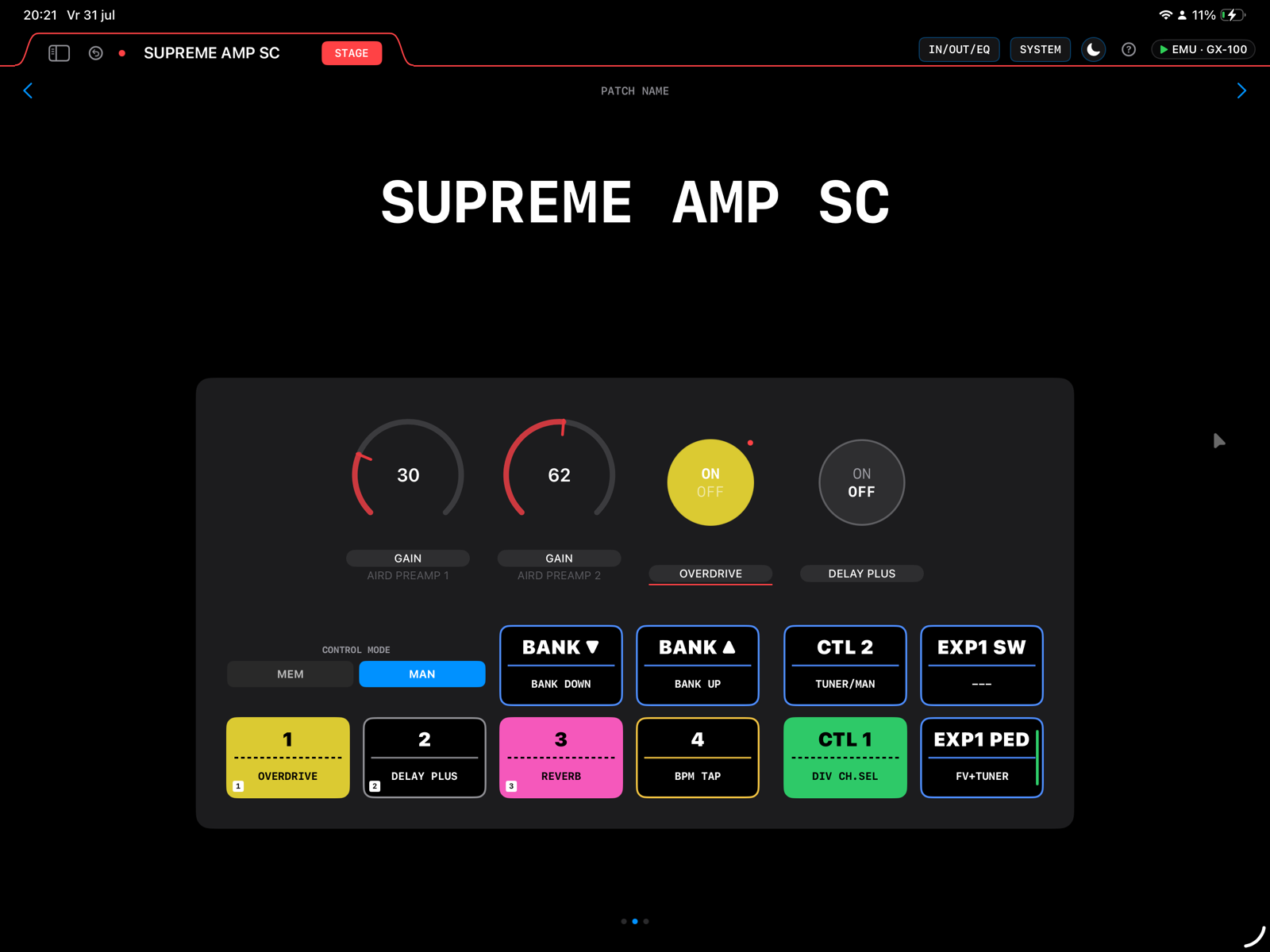
GXnarly stage view: large patch name with the four footswitch assignments below
Stage view for when you're playing, not editing — patch name across the screen and the switches under it.
BOSS TONE EXCHANGE patch browser open inside GXnarly next to the effect chain
BOSS TONE EXCHANGE next to your chain — find a patch and keep editing without leaving the app.
TONE3000 impulse response browser open inside GXnarly beside the AIRD preamp controls
TONE3000 cabinets, browsed and loaded in place — or drop in your own .wav impulse response.

Getting connected

Two cables for iPad, one for a Mac. See the wiring →

About

The SourceWorks isn't a studio. It's one guitar player who wanted to understand his own pedal, and wrote an app to get there.

I play a BOSS GX-10. It sits on the floor, my iPad sits on a stand above it, and that combination is how I work out sounds — so the editor had to be genuinely good on a tablet, in landscape, not a desktop screen squeezed onto glass.

GXnarly started as a way of teaching myself what my own pedal was doing. Nearly everything in it exists because I got stuck on something: a block I didn't understand, a parameter with a cryptic name, a chain order I couldn't reason about. If it helps you the way it helped me, that's the best outcome I can hope for.

It's a fan-made, independent project. I'm not affiliated with Roland or BOSS in any way — I'm just a customer who likes the hardware a lot.

Contact

PPV Enterprise
Martelarenlaan 161
3010 Leuven
Belgium
info@thesourceworks.com

Send me a message

This opens your email app with a message to info@thesourceworks.com. Prefer to write directly? That link works too.

The SourceWorks and GXnarly are trademarks of PPV Enterprise.

Setup

Getting connected is the only part that needs explaining — once you're in, GXnarly documents itself: every block has help built in, right next to its knobs.

First, set the pedal's USB mode

Which mode you need depends on what you're plugging into:

  • iPad — set the GX-10 / GX-100 to class-compliant (generic) USB MIDI. iPadOS can't load a driver, so this is the only mode that works.
  • Mac — vendor mode is fine, as long as you've installed BOSS's driver for your pedal. If you haven't installed it, set the pedal to class-compliant mode here too — that works with no driver at all.

Then connect it as shown below and open GXnarly. The pedal is detected automatically and appears as a USB-MIDI connection.

iPad — split the port so you can charge while you play

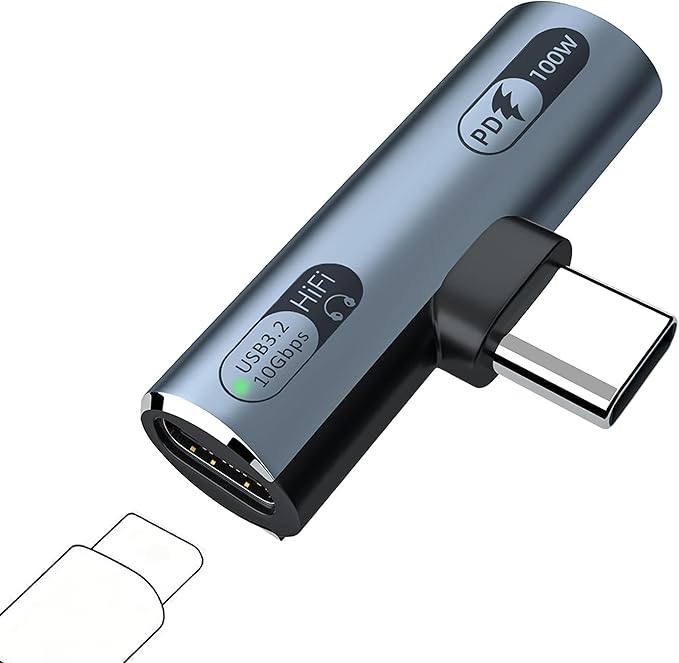
A small right-angle USB-C splitter: a male USB-C plug on its side, a 100 W Power Delivery port on one end and a USB 3.2 data port with a green status LED on the other

An iPad has one USB-C port, and the pedal wants it. A small splitter plugs straight into that port and gives you two. Mine is a IVIVTOR USB-C adapter with PD passthrough — about €10, and it has quietly done the job ever since.

  • The right-angle plug goes straight into the iPad, so the adapter sits flat along the edge instead of sticking out.
  • The PD 100W end takes your charger.
  • The USB 3.2 end takes the cable to the GX-10 — the little green LED lights up when it's passing data.
iPad wiring for GXnarly A small in-line splitter plugs straight into the USB-C port on the iPad's left edge. A cable leaves the splitter's top end and runs up to a USB-C charger for Power Delivery; a second cable leaves its bottom end and runs down and across into the USB port on the BOSS GX-10's rear panel. PD USB-C charger Power Delivery iPad — landscape Splitter with PD passthrough plugs straight in — about €10 BOSS GX-10 — rear panel 1 2 3

1 splitter plugs straight into the iPad  ·  2 one end to the charger  ·  3 the other end to the pedal's USB port. The GX-10 still needs its own PSA adaptor in DC IN — USB doesn't power it.

Mac — one cable, straight through

On a Mac there's nothing to solve: the computer powers itself, so a single USB-C cable from the Mac to the pedal's USB port is the whole setup.

Mac wiring for GXnarly A single USB-C cable leaves the side of a Mac laptop and runs straight down into the USB port on the BOSS GX-10's rear panel. No hub or splitter is needed. Mac — powers itself, no hub needed BOSS GX-10 — rear panel 1

If your Mac only has USB-A, a plain USB-A to USB-C cable works the same way.

No pedal in front of you?

GXnarly includes a built-in device emulation, so you can open the app and explore the whole interface — every block, every parameter — with nothing connected at all.

FAQ

Is GXnarly made by Roland or BOSS?

No. GXnarly is fan-made and independent. It is not affiliated with, endorsed by, or sponsored by Roland Corporation.

Does it work with the GX-100?

Yes — the GX-100 is supported alongside the GX-10, and the app adapts to whichever one you connect.

Where can I get support?

Email info@thesourceworks.com or use the form on the About page. It comes straight to me.